Levvel Borger
Free up time for core care tasks Automatic documentation in Cura and Nexus
Levvel Borger automates time-consuming workflows in home care and home nursing, acute nursing, nursing homes and health and care beds.
- Data from Bluetooth medical devices is documented directly in Cura and Nexus – with no manual entry.
- Risk scores such as TOBS and EWS are calculated and documented in 0 seconds.
- Citizens are prioritised automatically, so staff always have an up-to-date overview.
- Responsible clinicians are notified if the citizen’s reference values are exceeded.
Features and benefits
How Levvel Borger works


-
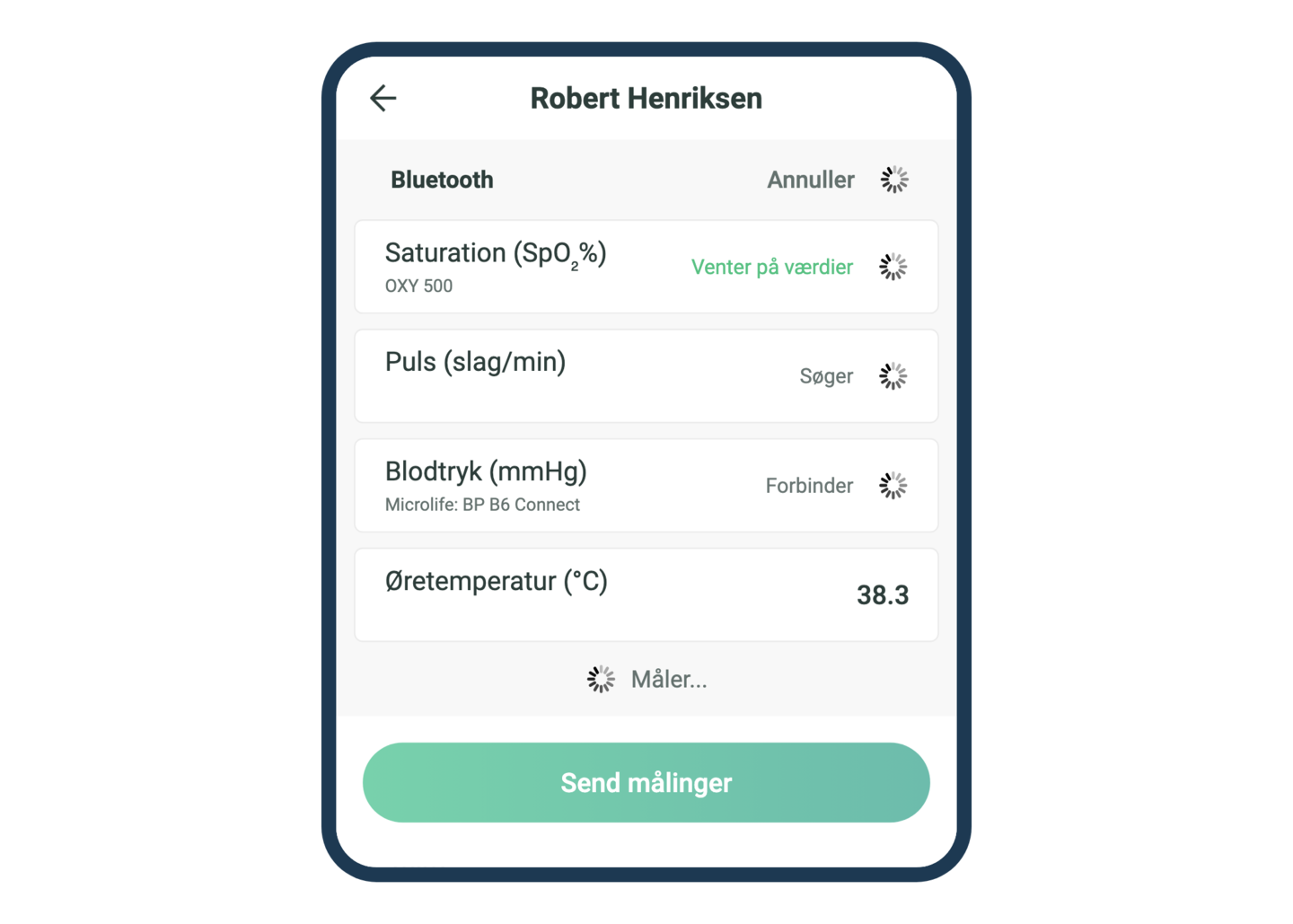
Measurement via Bluetooth
Measurements are transferred automatically to Levvel Borger via Bluetooth – fewer manual entries and fewer errors.
-
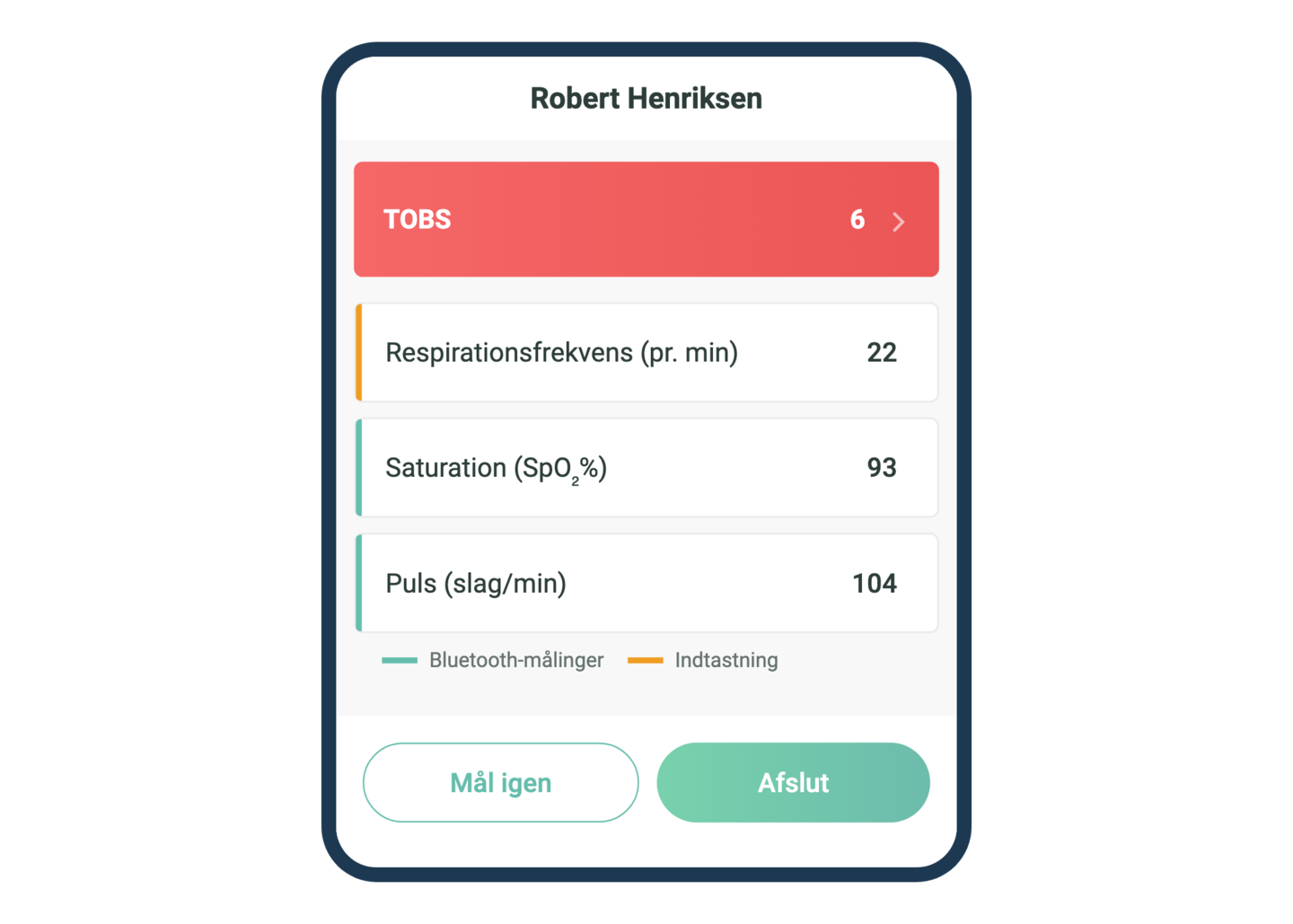
Automatic TOBS and EWS
Risk scores are calculated instantly from the measurements and shown with colour codes. Both measurements and scores are documented automatically.
-
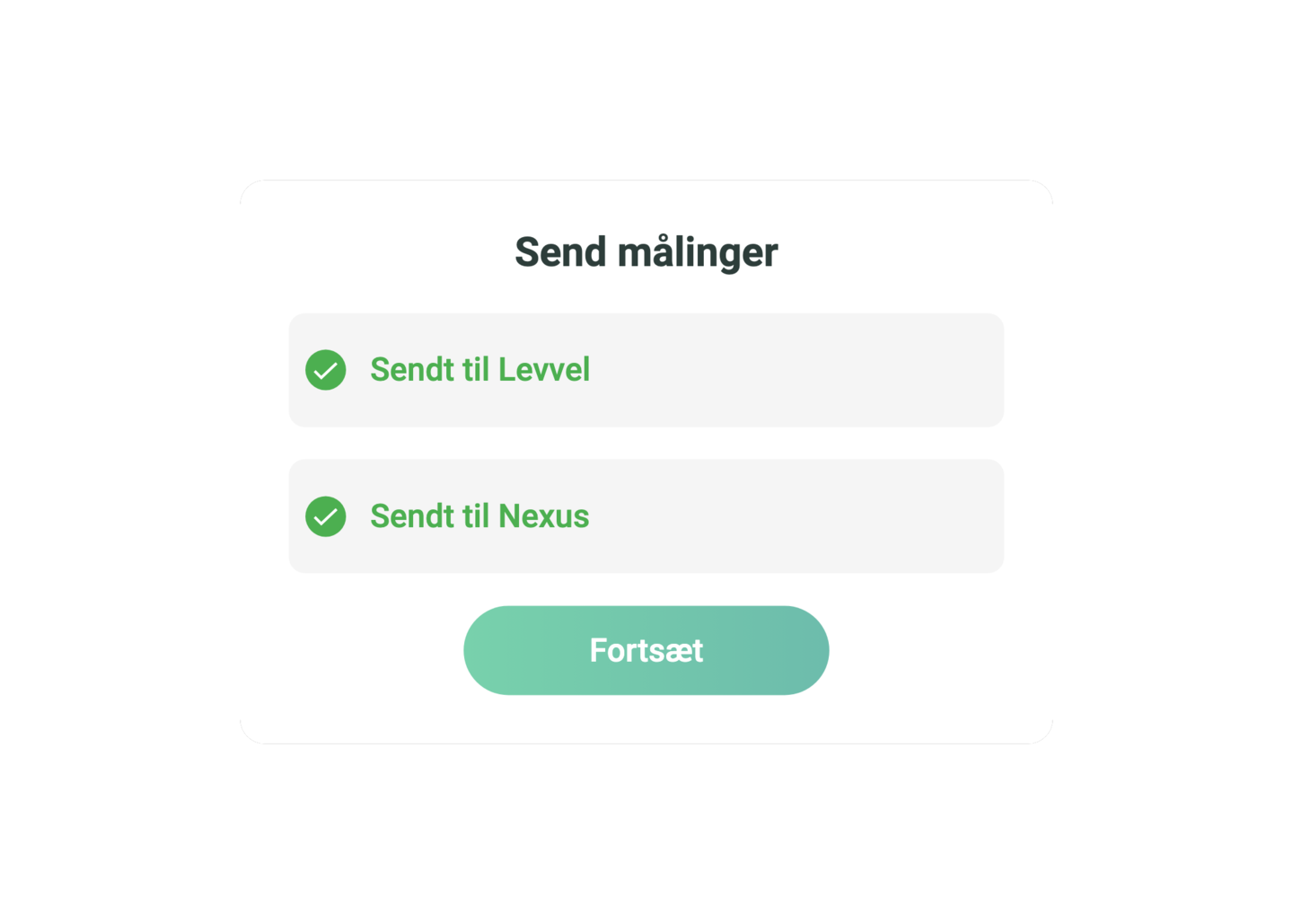
Direct documentation in Cura and Nexus
One tap transfers measurements and risk scores to the care record. No duplicate data entry and no manual entry of data.
-
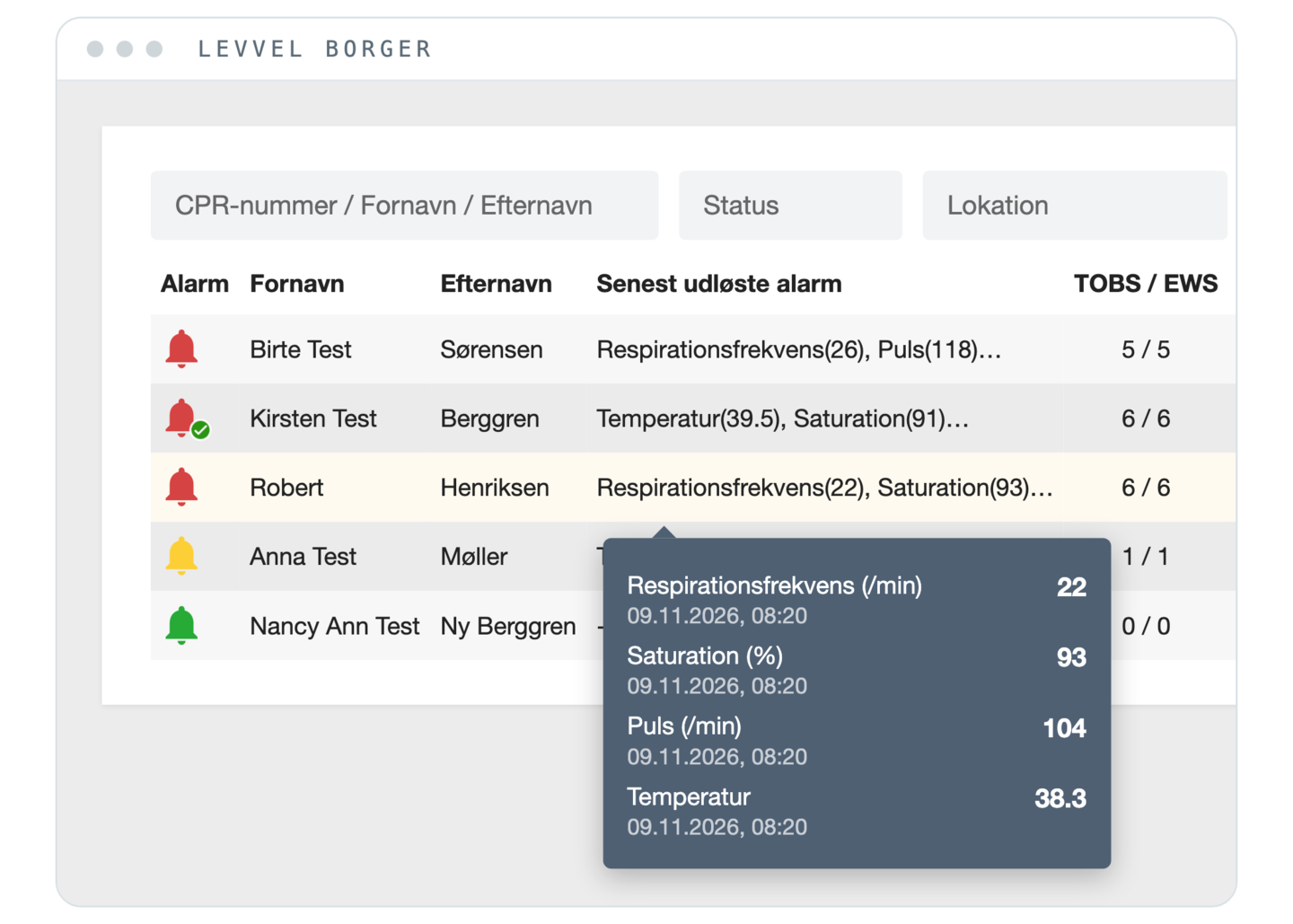
Notification of changes
If a citizen’s set reference values are exceeded, the responsible clinicians are notified automatically. That supports timely action when a condition deteriorates.
-
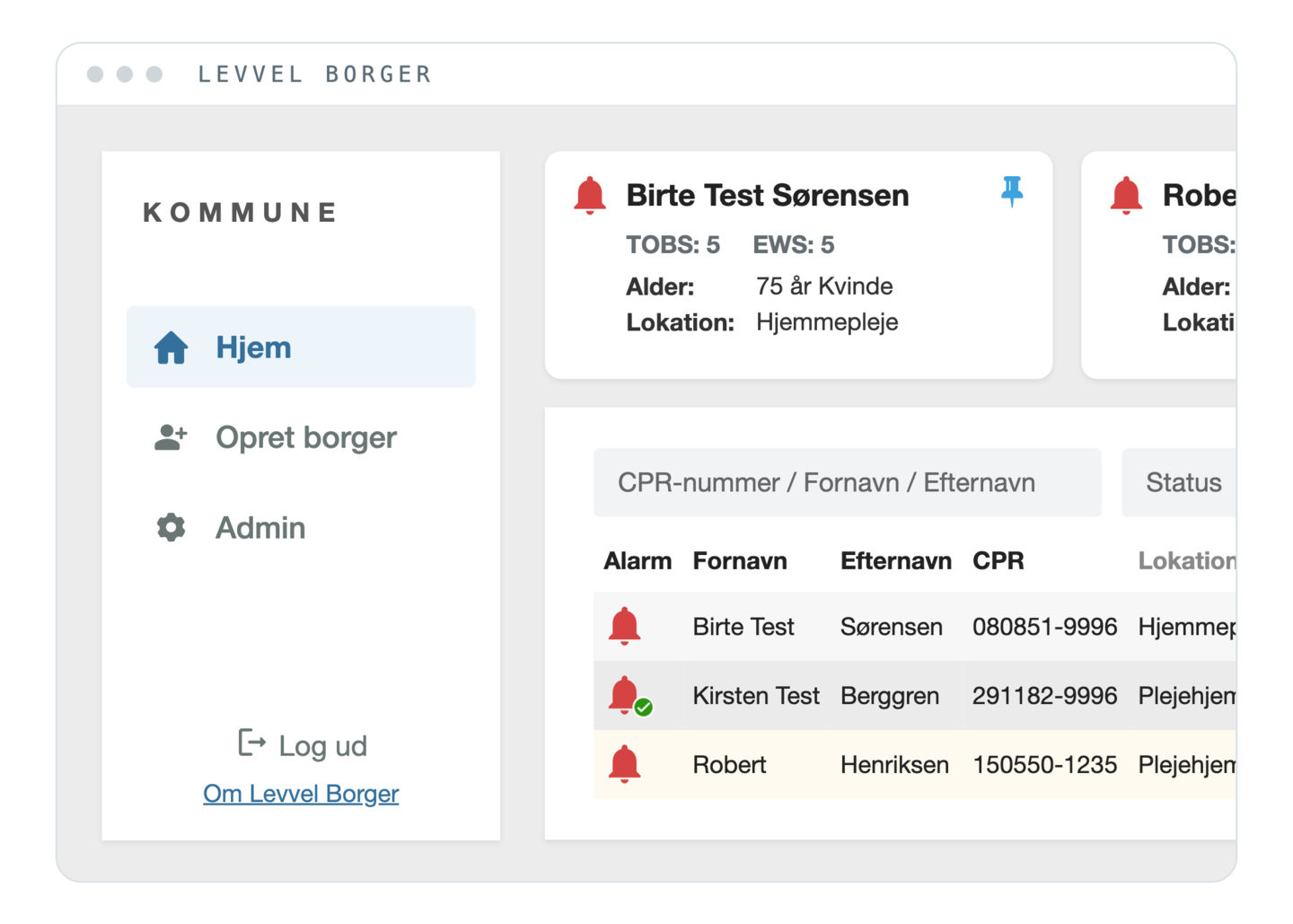
Prioritised citizen overview
Citizens are listed in order of priority with colour codes based on their current TOBS/EWS scores. Staff can also highlight citizens who need particular attention.
-
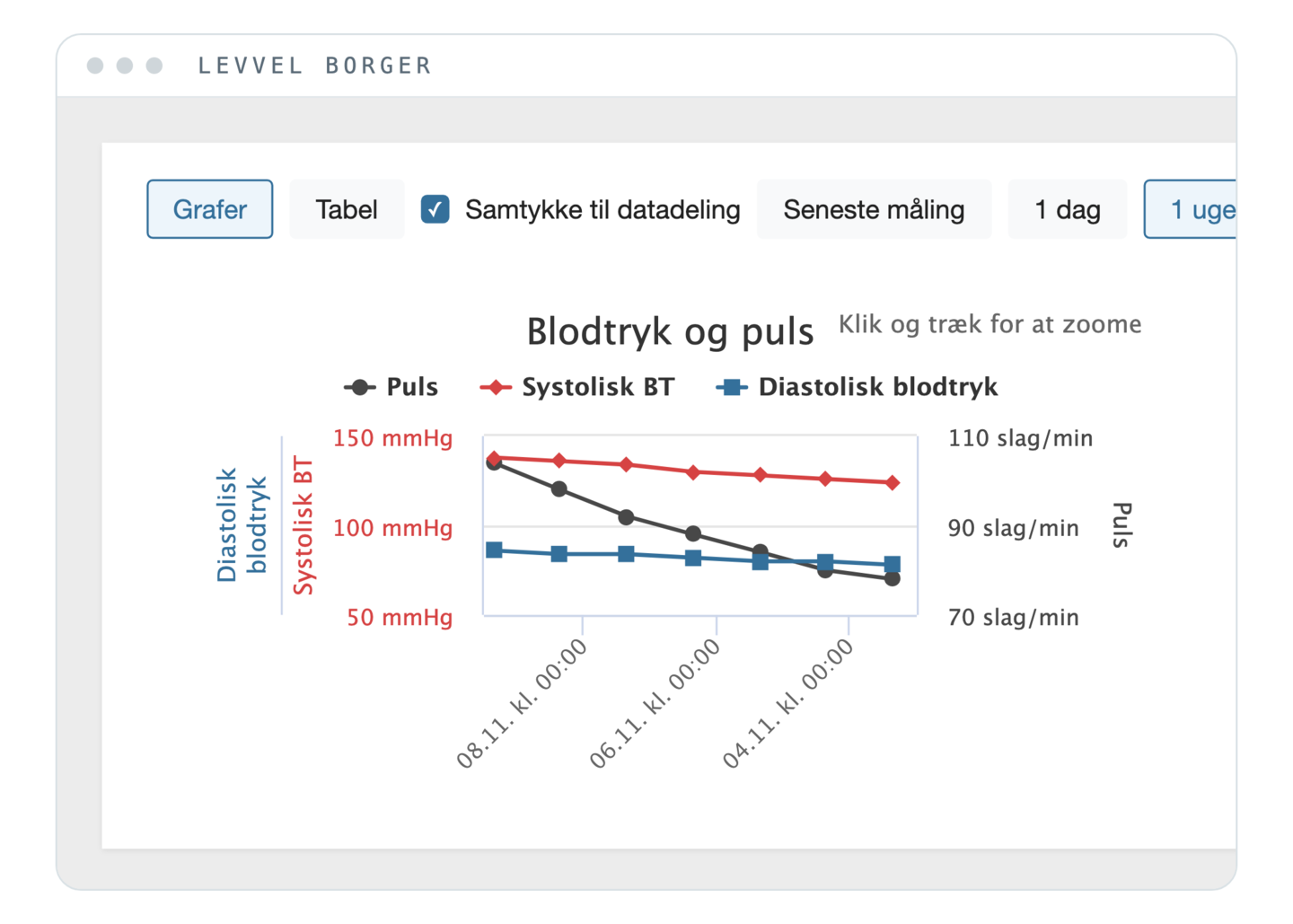
History and progression
Open an individual citizen and see measurements and risk scores from the last seven days. It gives a quick overview of the progression and supports the clinical assessment.
-
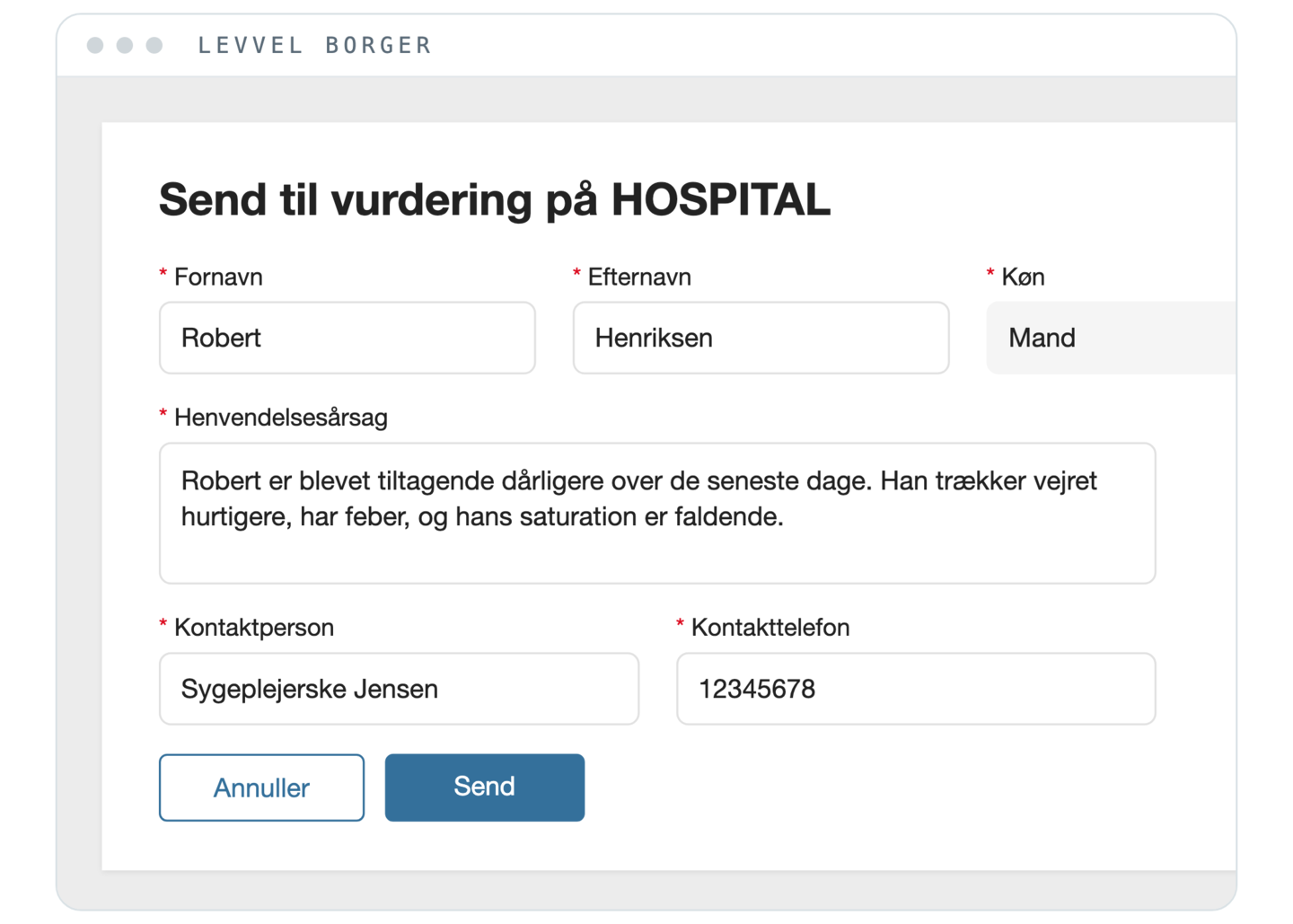
Digital assessment at the hospital
The municipality can send the citizen for digital assessment at the hospital. The doctor gets access to the measurements and the reason for referral and can assess the next steps on a shared data foundation.
Requires Levvel Patient at the hospital.
- vital signs documented automatically
- 98,284
- TOBS and EWS scores calculated and documented automatically
- 19,835
- cross-sector virtual admissions
- 430
- hours of manual data entry freed up
- 4,260
- active users
- 450
Operational data from Levvel Borger and Levvel Patient in Region Zealand.
Testimonials
Don’t just take it from us Hear it from the people who use Levvel in the municipalities
-
Our collaboration with Levvel Health has revolutionized our approach to health data and elevated the quality and professionalism of our work.
 Torben Klitmøller Hollmann Director of Health and Senior Care, Næstved
Frequently asked questions
Questions? We’re glad you asked
Didn’t find the answer?
Niklas is happy to help – by email or in a short meeting.
Can Levvel Borger be used with all measuring devices?
Levvel Borger supports all CE-marked medical Bluetooth devices and is already integrated with equipment from several different suppliers. We are happy to help you find the right devices and can refer you to suppliers who offer service and support.
How are the measurements linked to the right citizen?
The measurements are linked to the citizen’s CPR number and transferred from Levvel Borger to the correct care record. Both measurements and risk scores such as TOBS and EWS are documented automatically with no manual entry.
Which care records does Levvel Borger integrate with?
Levvel Borger is integrated with KMD Nexus and Columna Cura. Measurements and risk scores are transferred directly to the citizen’s record, so staff avoid duplicate data entry.
What does it require from our IT department?
Levvel Borger is already integrated with KMD Nexus and Columna Cura, which makes the technical implementation simpler. We work with your IT department on setting up the integration, user access and data security, and help make sure you get off to a good start.
Where is the data stored?
Levvel’s standard solution is hosted in Microsoft Azure in a data centre in Sweden, so data is stored within the EU. If you have special requirements for hosting or IT infrastructure, we are happy to look into the options with you.
Can we try Levvel Borger before we decide?
Yes. We can give you access to a demo environment and provide measuring equipment, so you can present and try the solution internally. After that, we can plan a defined trial together with a few users and clear success criteria.
How do we get started?
We start with a joint clarification of your needs, workflows and technical prerequisites. Then comes “The safe start”, where a few staff members try the solution in practice. When it is working and the results are documented, the solution can be rolled out gradually to more users and departments.