Levvel Patient
Admit patients in their own home Remote monitoring and cross-sector patient pathways
Levvel Patient supports digital assessment, remote monitoring and treatment of patients in their own homes, in nursing homes and in health and care beds.
- Data is shared in real time between municipality and hospital – without error-prone phone calls and correspondence.
- Patients can be admitted digitally for a medical assessment – without attending the hospital in person.
- The doctor gets a prioritised patient overview with current measurements and history.
- Risk scores and notifications make the responsible clinicians aware of changes in the patient’s condition.
- Treatment in safe surroundings is ensured without compromising on patient safety.
| Measurement | Morning 09.11 | Morning 07.11 | Morning 05.11 | Morning 03.11 |
|---|---|---|---|---|
| Calculated TOBS | 6 | 2 | 0 | 0 |
| Respiratory rate /min | 22 | 20 | 18 | 16 |
| Saturation SpO₂ % | 93 | 95 | 96 | 97 |
| Pulse bpm | 104 | 92 | 84 | 78 |
| Blood pressure mmHg | 138/86 | 134/84 | 128/80 | 124/78 |
| Temperature °C | 38.3 | 37.6 | 37.0 | 36.7 |
Features and benefits
How Levvel Patient works


-
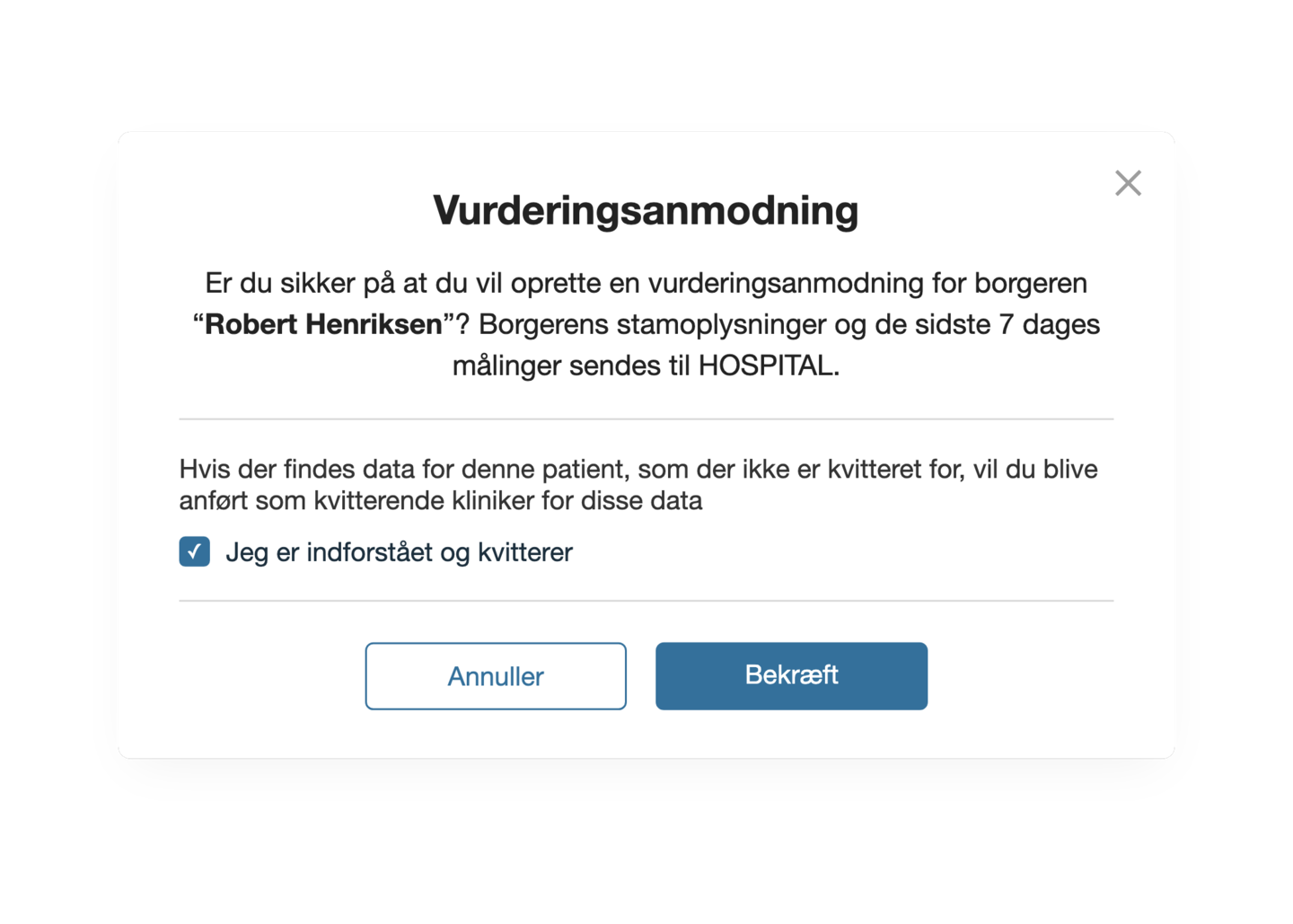
Sent for assessment
The municipality sends the patient for digital assessment at the hospital with the reason for referral and the latest measurements.
-
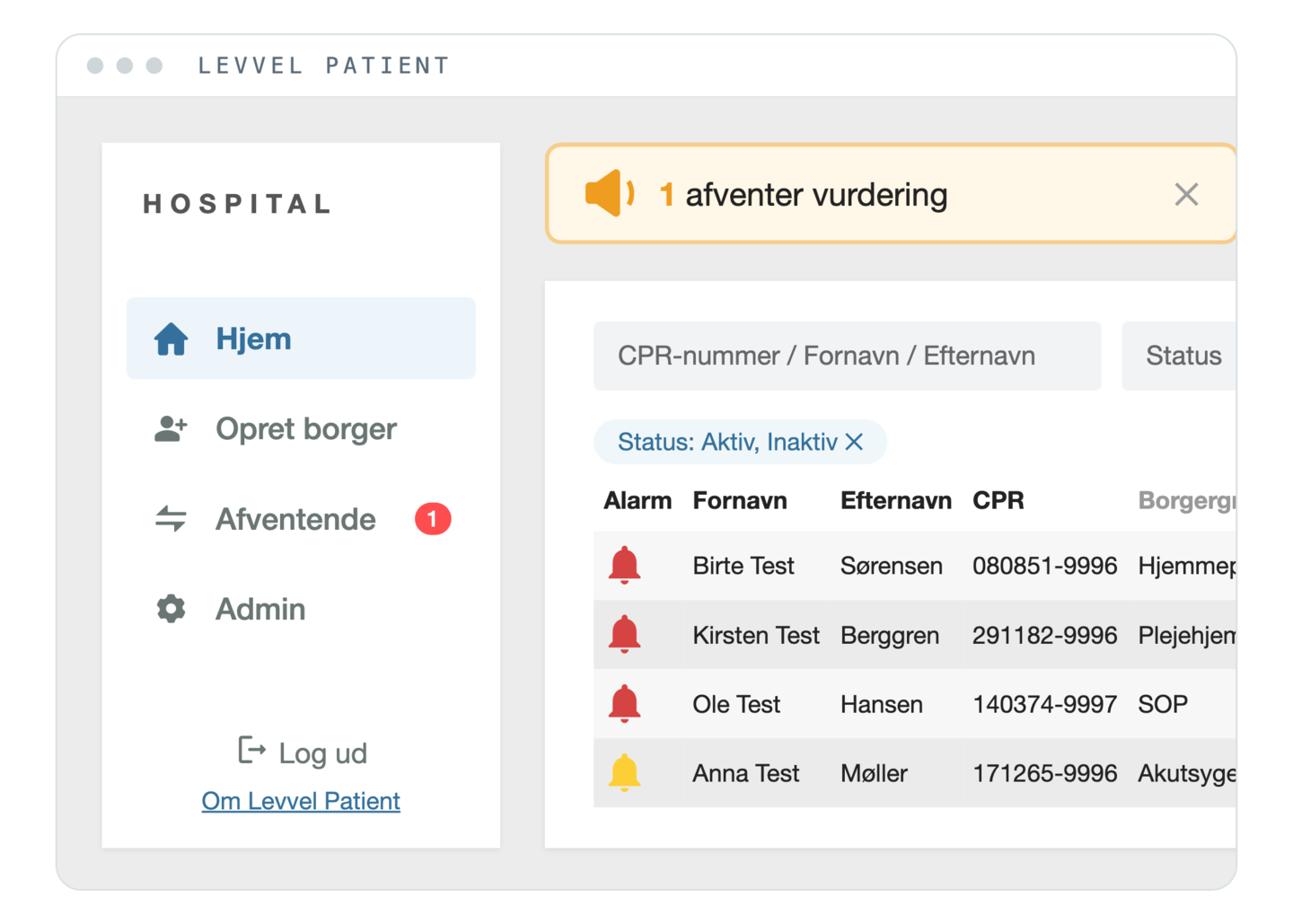
Received for assessment
The patient appears automatically as pending in the hospital’s patient overview, so the doctor can see who needs to be assessed.
-
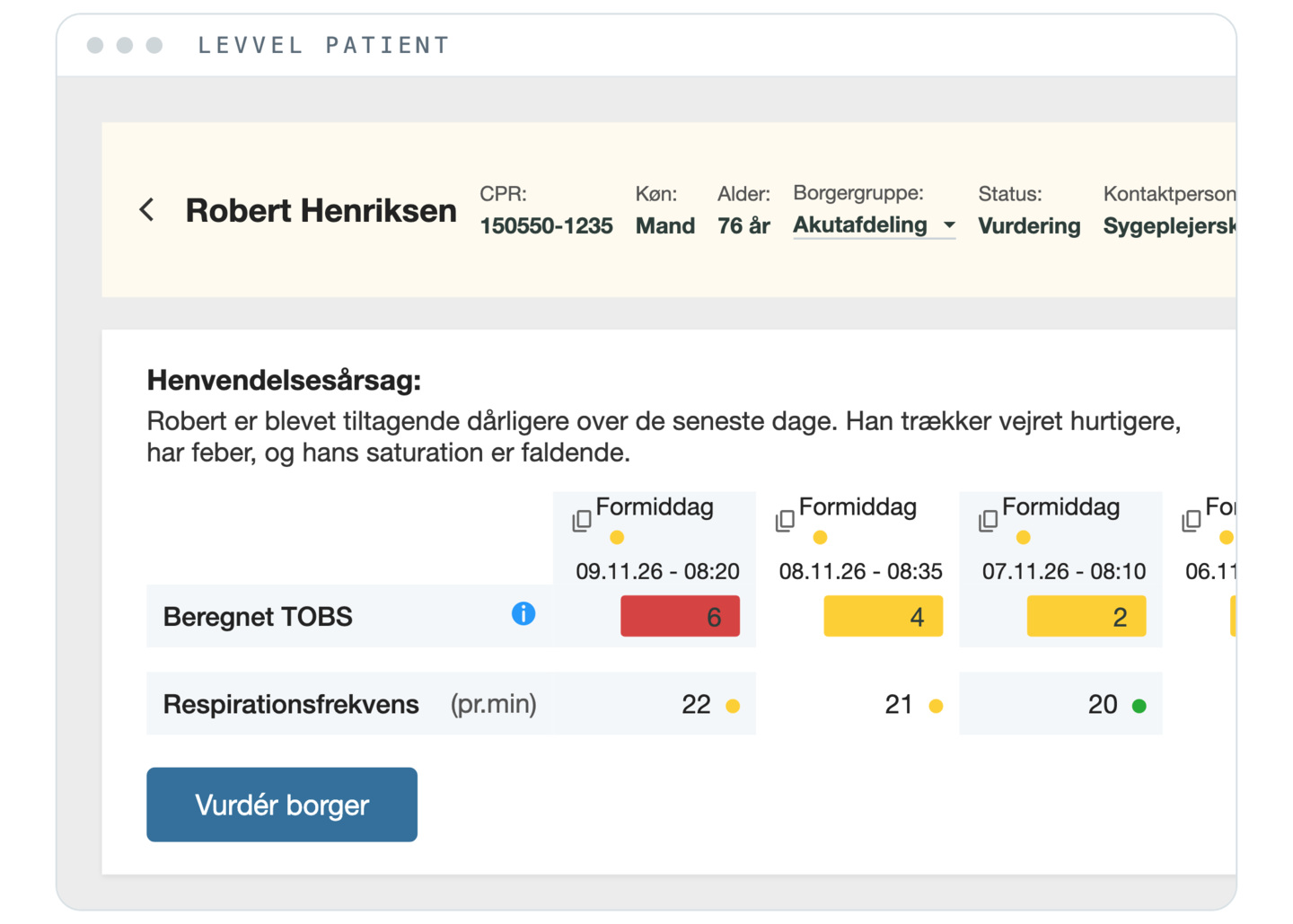
Patient data and history
The doctor gets access to the patient’s current measurements, risk scores, history and reason for referral in one place.
-
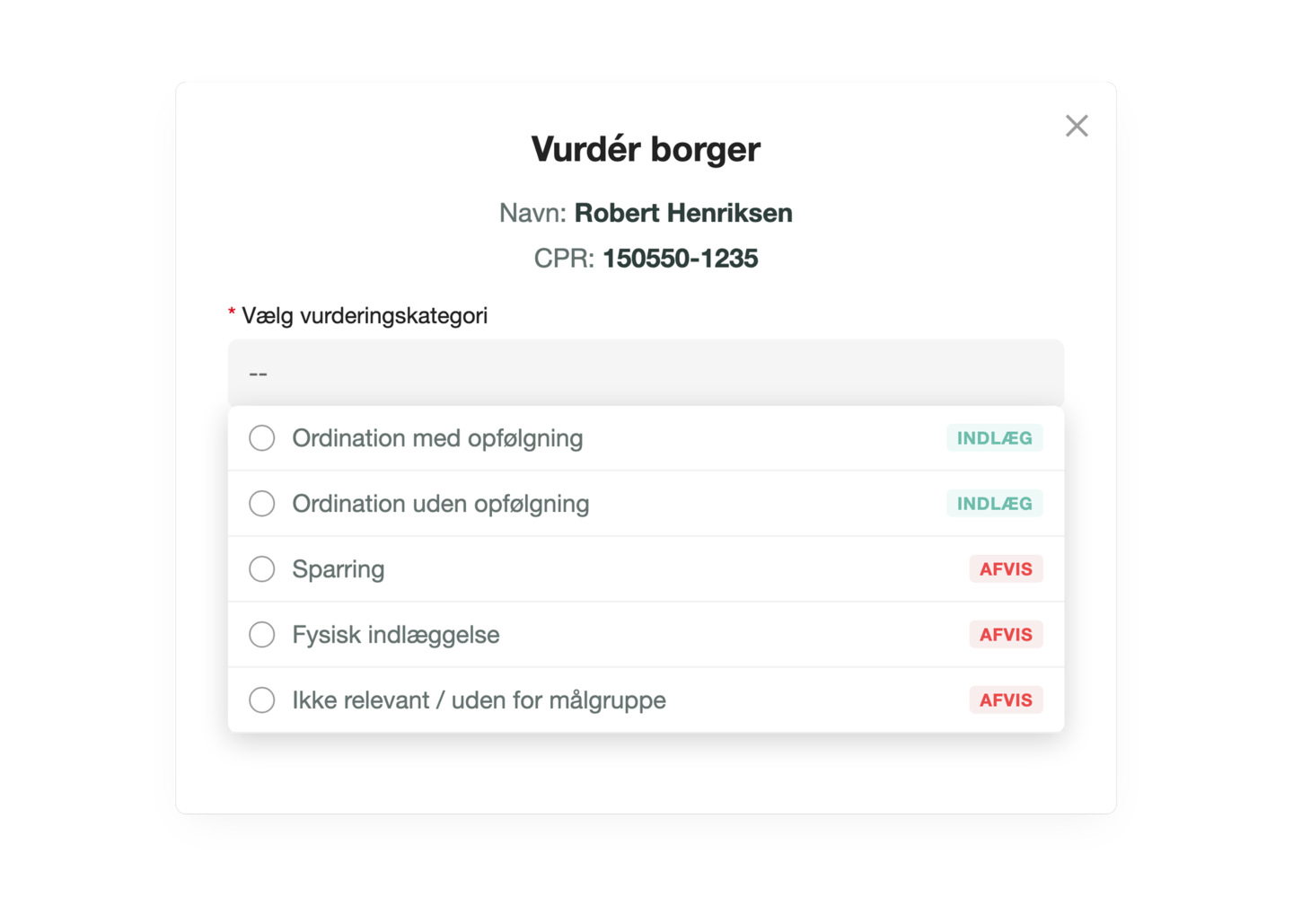
Digital medical assessment
The doctor assesses the patient and chooses the next step, for example a prescription with or without follow-up, advice or a physical admission.
-
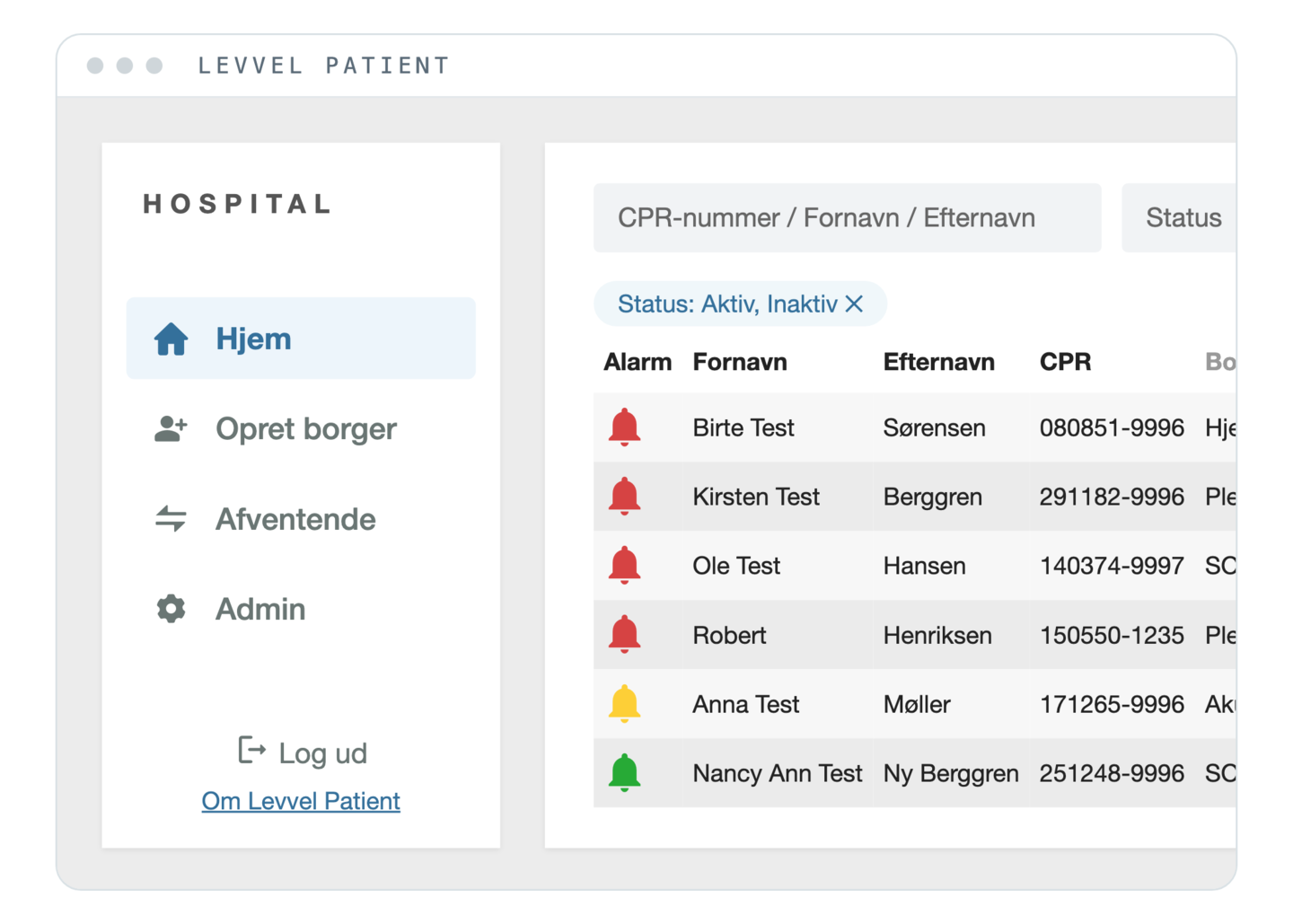
Prioritised patient overview
Patients are listed in order of priority with colour codes, so staff can quickly identify patients who need particular attention.
-
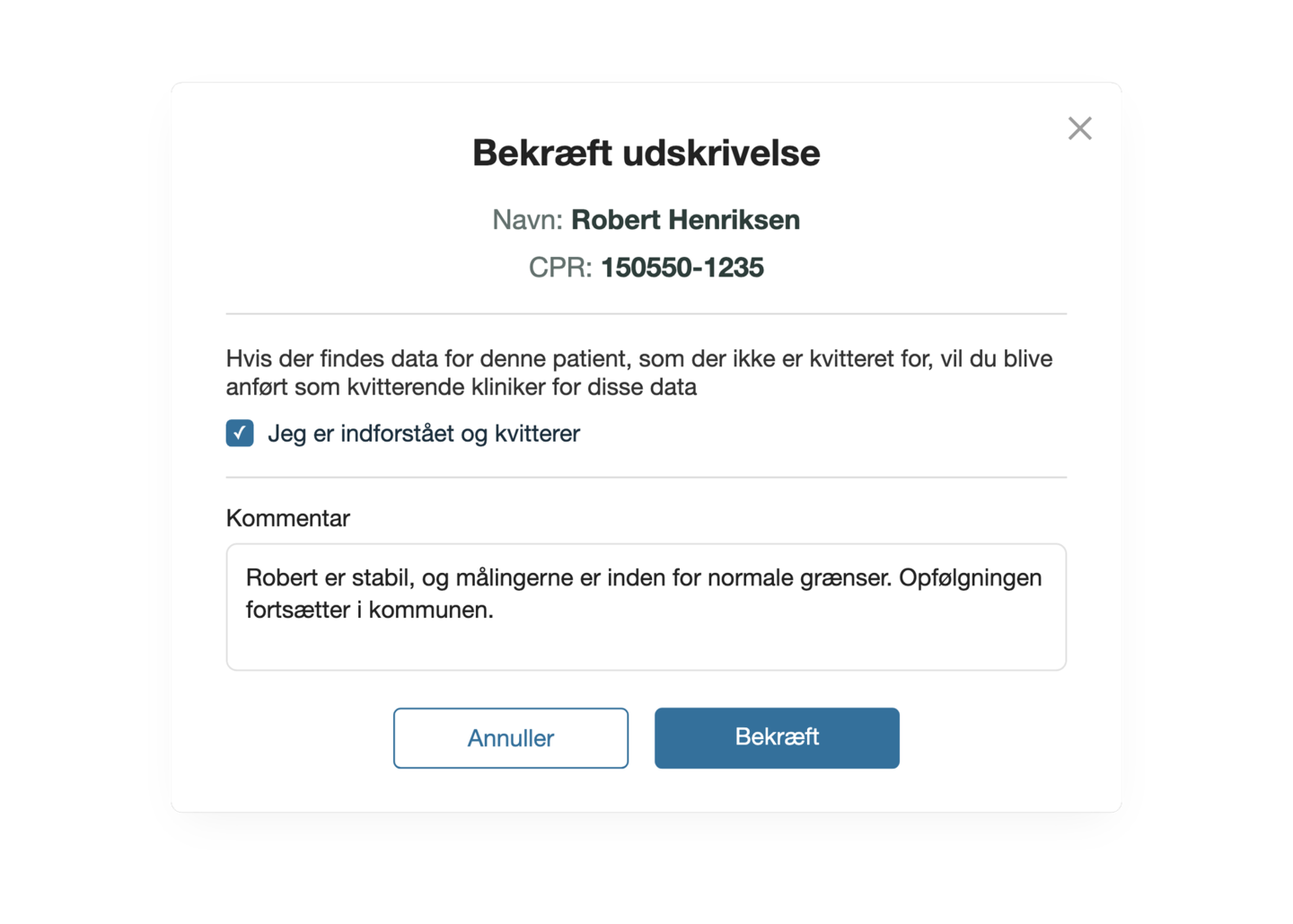
Discharging a patient
When the patient is discharged, they are removed from the hospital’s patient overview but stay in the municipality’s system, where measurements and follow-up can continue.
- vital signs documented automatically
- 98,284
- TOBS and EWS scores calculated and documented automatically
- 19,835
- cross-sector virtual admissions
- 430
- hours of manual data entry freed up
- 4,260
- active users
- 450
Operational data from Levvel Borger and Levvel Patient in Region Zealand.
Testimonials
Don’t just take it from us Hear it from the people who use Levvel at the hospitals
-
If it doesn’t make sense to a nurse, they won’t use it. But this does.
 Tenna Børnig Mortensen Department Manager – Home Treatment, Region Zealand – Det Nære Sundhedsvæsen
-
The system is intuitive and quick to learn. The alarm feature and SMS reminders work well and provide real value.
 Mai-Britt Hägi-Pedersen Project Manager PhD, Region Zealand – Det Nære Sundhedsvæsen
Frequently asked questions
Questions? We’re glad you asked
Didn’t find the answer?
Niklas is happy to help – by email or in a short meeting.
How is data shared between municipality and hospital?
Levvel Patient gives the hospital access to current measurements, risk scores and history from the municipality in real time. At the same time, the municipality can send patients for digital assessment with the reason for referral and the relevant patient data, so the doctor has the information gathered in one place.
How does a digital admission work?
The municipality sends the patient for digital assessment at the hospital. The patient appears as pending in the hospital’s patient overview, where the doctor can review the measurements and the reason for referral and choose the next step, for example a prescription, advice or a physical admission.
Can Levvel Patient be used for health and care beds?
Yes. Levvel Patient supports digital medical assessment and treatment of patients in health and care beds, so the doctor can assess the patient’s condition and prescribe treatment remotely. That can reduce the need for transport and support treatment closer to the patient.
How do the notifications work?
When the patient’s set reference values are exceeded, the responsible clinicians can be notified automatically. At the same time, the prioritised patient overview lets staff highlight patients who need particular attention.
What happens when a patient is discharged?
When the patient is discharged from Levvel Patient, they are removed from the hospital’s patient overview but stay in the municipality’s system. There, measurements and follow-up can continue as before.
Does Levvel Patient require integration with the hospital’s record system?
Levvel Patient gives the hospital’s clinicians access to patient data and digital assessment functions through its own user interface. Any need for integration with the hospital’s existing IT systems is clarified as part of the implementation.
Where is the data stored?
Levvel’s standard solution is hosted in Microsoft Azure in a data centre in Sweden, so data is stored within the EU. If you have special requirements for hosting or IT infrastructure, we are happy to look into the options with you.
Can we try Levvel Patient before we decide?
Yes. We can demonstrate the solution and go through the digital patient pathways with you. After that, we can plan a defined trial with a few clinicians, clear success criteria and close follow-up.